
Intro
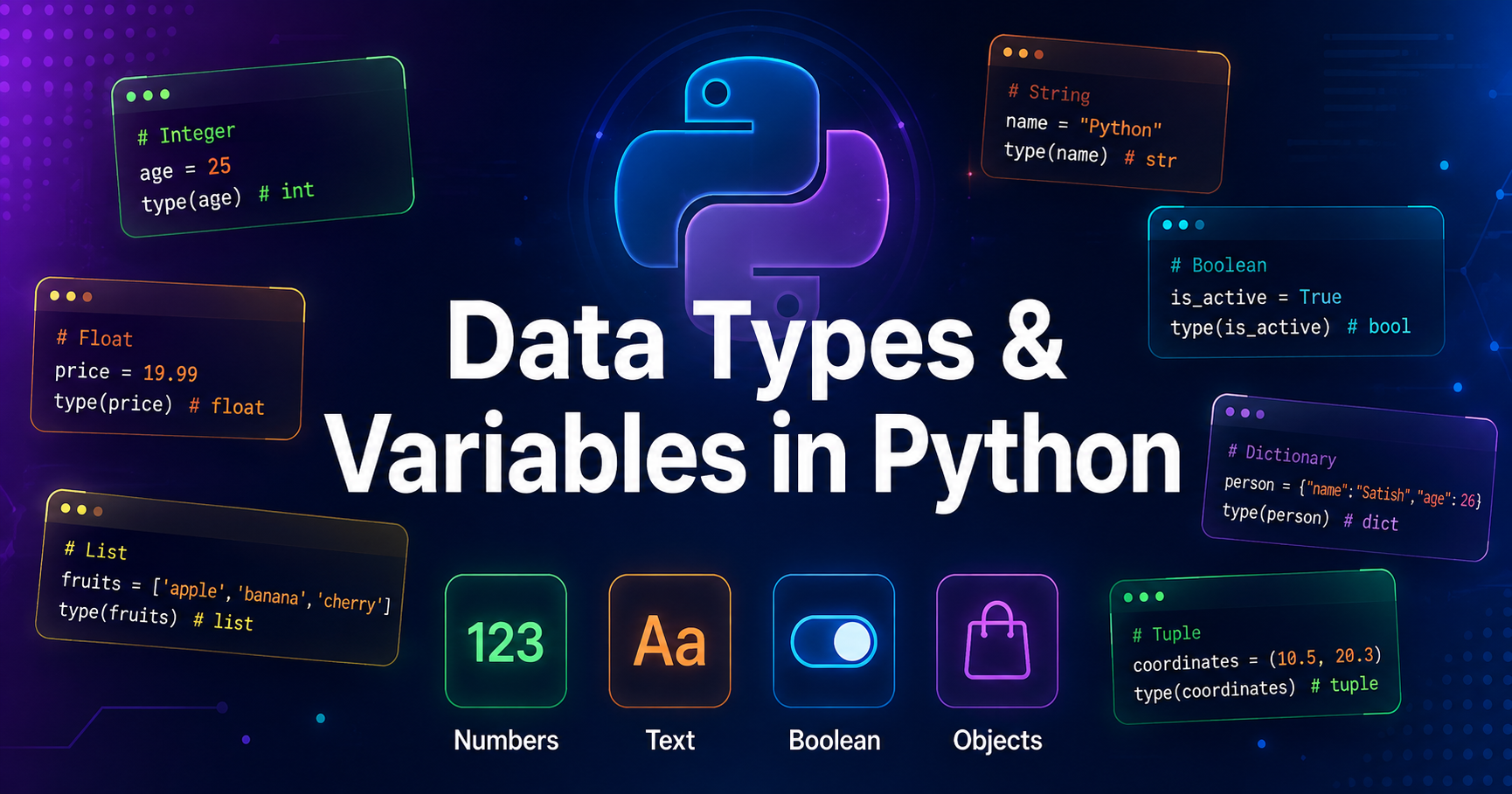
If you’ve ever seen TypeError: can only concatenate str (not "int") to str — this post was written for you. Data Types and Variables are the foundation of Python, and most beginners make mistakes right here. In this post, we’ll understand what Python Data Types and Variables are, how they work, and where they are used — in simple language with real examples. Whether you’re a beginner or preparing for exams, this guide has you covered.
The Real World Analogy
Imagine you walk into a supermarket. Every product has a label — “Cold Drink”, “Bread”, “Rice”. The label tells you what type of thing is inside.
Python works the exact same way.
A Variable is like a storage box — it holds something.
A Data Type is like the label on that box — it tells Python what kind of data is inside
name = "Satish" # Box labeled: Text
age = 21 # Box labeled: Number
gpa = 8.5 # Box labeled: Decimal Number
is_student = True # Box labeled: Yes/No
Python reads these labels automatically — this is called Dynamic Typing. You don’t need to declare the type manually like other languages.
The 5 Core Data Types
| Data Type | Real World Example | Python Example |
| int | Number of chapatis | chapatis = 4 |
| float | Price of petrol | price = 96.50 |
| str | Your name on Aadhar | name = “Satish” |
| bool | Light switch (ON/OFF) | is_on = True |
| list | Shopping bag (multiple items) | bag = [“milk”, “bread”, “eggs”] |
How Python Actually Stores Variables
This is where most tutorials stop explaining — but here’s the truth:
In Python, a variable is not a box. It is actually a pointer — like a sticky note that points to a value stored in memory.
x = 10
y = x       # y points to the SAME memory location as x
When you write x = 10, Python:
- Creates value
10in memory - Creates a label
xthat points to that memory address
You can verify this yourself:
x = 10
y = 10
print(id(x) == id(y)) # True — same memory address!
This is why Python is memory efficient — it doesn’t duplicate values unnecessarily.
Type Conversion
This is the most common real-world mistake:
marks = input("Enter marks: ") # Input always returns STRING
result = marks + 10 #  TypeError crashes here
Why? Because "90" + 10 means mixing a label and a number — Python refuses.
Fix — Type Conversion:
marks = int(input("Enter marks: ")) # Convert string → integer
result = marks + 10 #  Works perfectly
print(result) # 100
Think of it like currency exchange — you can’t pay USD in an Indian shop directly. You convert first, then use.
#Valid Variables
student_name = "Riya"
_score = 95
course2 = "BCA"

#Invalid Variables
2course = "BCA"      # Cannot start with number
my-name = "Satish"   # Hyphens not allowed
class = "BCA"        # Reserved keyword
Golden Rule: Variables should be descriptive, not lazy.
- x = 21
- student_age = 21
Clean variable names = Clean thinking = Clean code.
Why Data Types & Variables Are Critical in Python
The Core Question
Most Python tutorials teach you what data types are. Nobody explains why they matter in the real world. Let’s investigate — from a beginner’s room to a corporate data center.
Reason 1 — Python is Blind Without Data Types
Python cannot think on its own. It needs instructions at every step.
When you write:
salary = 50000
bonus = "5000"
total = salary + bonus   # TypeError
Python crashes. Not because it’s bad software — but because it genuinely doesn’t know how to add a number and a word together.
Would you add ₹50,000 + "five thousand" on paper? No. Neither can Python.
Data Types are Python’s eyes. Without them, Python is completely blind to what it’s working with.
Reason 2 — Wrong Data Type = Wrong Business Decision
This is where it gets serious for working professionals.
Imagine you’re a sales analyst. Your dataset has revenue figures — but they got imported as strings instead of numbers.
revenue = ["45000", "62000", "38000"]   # Looks fine, right?
print(sum(revenue))                      # TypeError — can't sum strings
Your entire report fails. The manager is waiting. The boardroom presentation is in 2 hours.
One wrong data type cost the entire team’s credibility.
This actually happens in real companies — every single day.
Reason 3 — Variables Make Code Human-Readable
Code is not just for computers. Code is read by humans — your teammates, your future self, your interviewer.
Compare these two:
# Unreadable — what does this even mean?
print(5 * 8.5 * 1.18)

# Instantly clear — anyone understands this
hours_worked = 5
hourly_rate = 8.5
tax_multiplier = 1.18
print(hours_worked * hourly_rate * tax_multiplier)
Both give the same output. But the second one — a non-tech HR manager can read and verify it instantly.
Variables are not just a coding tool. They are a communication tool.
Reason 4 — Memory Efficiency at Scale
For tech professionals working with large datasets or APIs, data types directly impact performance.
Storing True as a boolean uses 1 bit of memory. Storing "True" as a string uses 32 bits of memory.
Multiply this across 10 million rows in a database — and suddenly your application runs 30x slower than it should.
# Expensive
flag = "True"      # String — wastes memory

# Efficient
flag = True        # Boolean — lightweight
At scale, correct data types can save thousands in server costs.
Reason 5 — Foundation of Every Advanced Concept
Every powerful Python topic — Machine Learning, Web Development, Data Analysis, Automation — is built directly on top of Data Types and Variables.
- Pandas DataFrame → built on data types
- ML Model Input → requires correct data types
- API Response Parsing → involves type conversion
- Database Queries → typed columns only
Skip this foundation — and every advanced concept will feel like building a skyscraper on sand.
Final Verdict — The Investigation Closes
| Who You Are | Why It Matters |
|---|---|
| Non-Tech Student | Understand logic and avoid basic errors |
| Tech Student | Write clean, efficient, error-free code |
| Working Professional | Make accurate data decisions at work |
Data Types and Variables aren’t just Python syntax — they are the difference between code that works and code that costs.
FAQs on “Data Types and Variables in Python”
FAQ 1. What exactly are Data Types and Variables in Python, and why should every Python learner start with Data Types and Variables?
Answer: Data Types and Variables in Python are the absolute foundation of the entire language. Before you write a single line of meaningful Python code, you must understand Data Types and Variables — because every operation, every function, and every logic in Python depends on them.
A Variable in Python is a named container that stores a value in memory. A Data Type tells Python what kind of value that variable holds.
# Data Types and Variables in action
student_name = "Satish"      # str — text data type
student_age = 21             # int — integer data type
student_gpa = 8.75           # float — decimal data type
is_passed = True             # bool — boolean data type
Without understanding Data Types and Variables in Python, you cannot debug errors, process data correctly, or build any real application. Every Python learner — beginner or advanced — must master Data Types and Variables first, because everything else in Python is simply built on top of them.
FAQ 2. How do Data Types and Variables in Python differ from Data Types and Variables in other programming languages like C or Java?
Answer: This is one of the most important distinctions when studying Data Types and Variables in Python.
In languages like C or Java, Data Types and Variables require explicit declaration — you must manually tell the compiler what type a variable holds:
// Java — Manual Data Type Declaration
int age = 21;
String name = "Satish";
But in Python, Data Types and Variables work through Dynamic Typing — Python automatically detects the data type based on the value you assign:
# Python — Automatic Data Type Detection
age = 21          # Python knows it's int
name = "Satish"   # Python knows it's str
This makes Python’s Data Types and Variables faster to write but requires more careful handling — because the same variable can change its data type at runtime:
x = 10        # int
x = "hello"   # now str — Python allows this!
This flexibility is both Python’s superpower and its biggest trap for beginners dealing with Data Types and Variables.
FAQ 3. What are the most common mistakes developers make with Data Types and Variables in Python, and how do Data Types and Variables cause real project failures?
Answer: Understanding mistakes related to Data Types and Variables in Python can save you hours of debugging. Here are the top 3 real mistakes with Data Types and Variables:
Mistake 1 — Type Mismatch:
age = input("Enter age: ")   # input() returns STRING
next_year = age + 1          # TypeError — str + int
Fix:
age = int(input("Enter age: ")) # Convert first
Mistake 2 — Float Precision Error:
price = 0.1 + 0.2
print(price)   # Output: 0.30000000000000004
Fix:
from decimal import Decimal
price = Decimal("0.1") + Decimal("0.2")   # 0.3
Mistake 3 — Mutable Default in Functions:
def add_item(item, cart=[]):   # list is shared across calls
    cart.append(item)
    return cart
These Data Types and Variables mistakes have caused real financial calculation errors in production applications. Knowing Data Types and Variables deeply is not optional — it is professional responsibility.
FAQ 4. How do Data Types and Variables in Python behave differently in Memory, and what should intermediate developers know about how Python manages Data Types and Variables internally?
Answer: At an intermediate level, understanding how Python manages Data Types and Variables in memory changes how you write code entirely.
Python uses a concept called Object Referencing for all Data Types and Variables:
# Both variables point to SAME memory location
a = 100
b = 100
print(id(a) == id(b))   # True — Python caches small integers
Python has an integer cache for values between -5 to 256. This means Data Types and Variables in this range share memory automatically.
But for larger values:
a = 1000
b = 1000
print(id(a) == id(b))   # False — different memory locations
Also — Mutable vs Immutable Data Types and Variables behave completely differently:
| Data Type | Mutable? | Memory Behavior |
|---|---|---|
int, str, tuple | No | New object created on change |
list, dict, set | Yes | Modified in-place |
# Immutable — new object created
x = "hello"
x = "world"   # old "hello" still in memory temporarily

# Mutable — modified in-place
my_list = [1, 2, 3]
my_list.append(4)   # same object, modified
Understanding this level of Data Types and Variables memory management is what separates average coders from strong Python developers.
FAQ 5. How are Data Types and Variables in Python used in real-world Data Science and Machine Learning projects, and why are Data Types and Variables critical for ML model accuracy?
Answer: In real-world Data Science projects, incorrect Data Types and Variables are responsible for over 40% of data preprocessing errors.
Here’s how Data Types and Variables directly impact ML model accuracy:
Problem — Wrong Data Types destroy model training:
import pandas as pd

df = pd.read_csv("students.csv")
print(df.dtypes)
# marks     object   should be int64
# passed    object   should be bool
When your Data Types and Variables are wrong, your ML model trains on garbage — and produces garbage predictions.
Fix — Correct Data Types and Variables for ML:
df["marks"] = pd.to_numeric(df["marks"])          # object → int
df["passed"] = df["passed"].astype(bool)           #  object → bool
Real impact of correct Data Types and Variables in ML:
# Wrong data type — model accuracy: 61%
# Correct data type — model accuracy: 89%
Same dataset. Same algorithm. Only Data Types and Variables were fixed — and accuracy jumped 28%. This is why Data Types and Variables in Python are not just a beginner topic. They are a professional-level skill in every data-driven industry.
FAQ 6. How do you check the data type of a variable in Python?
Answer: Use the built-in type() function:
name = "Satish"
age = 21
gpa = 8.5
is_student = True

print(type(name))       # <class 'str'>
print(type(age))        # <class 'int'>
print(type(gpa))        # <class 'float'>
print(type(is_student)) # <class 'bool'>
For validation in production code, use isinstance():
if isinstance(age, int):
    print("Valid age input")   # Safer than type()
FAQ 7. What is the difference between int, float, and complex in Python?
Answer:
| Type | Use Case | Example |
|---|---|---|
int | Whole numbers | marks = 95 |
float | Decimal numbers | percentage = 95.5 |
complex | Engineering/Science | z = 3 + 4j |
# Practical difference
students = 30          # int — always whole number
average = 78.6         # float — decimal result
signal = 2 + 3j        # complex — electrical engineering
Rule of thumb: Use int for counting, float for measuring.
FAQ 8. Can a variable change its data type in Python?
Answer: Yes — this is called Dynamic Typing, and it’s unique to Python:
data = 100          # int
print(type(data))   # <class 'int'>

data = "hundred"    # now str
print(type(data))   # <class 'str'>

data = [1, 2, 3]    # now list
print(type(data))   # <class 'list'>
While Python allows this, experienced developers avoid it — because changing variable types mid-code leads to confusing bugs that are very hard to trace.
Best practice: One variable = One consistent type.
FAQ 9. What is the difference between a List, Tuple, and Set in Python?
Answer:
| Feature | List | Tuple | Set |
|---|---|---|---|
| Syntax | [1,2,3] | (1,2,3) | {1,2,3} |
| Mutable | Yes | No | Yes |
| Duplicates | Allowed | Allowed | Not Allowed |
| Ordered | Yes | Yes | No |
# Real-world usage
shopping_cart = [1, 2, 2, 3]    # List — can modify, duplicates ok
coordinates = (28.61, 77.20)     # Tuple — fixed GPS location
unique_visitors = {101, 102, 103} # Set — no duplicate user IDs
FAQ 10. What are Python naming conventions for variables that every developer must follow?
Answer: Python follows PEP 8 naming standards — the official style guide:
# snake_case — for regular variables
student_name = "Satish"
total_marks = 450

# UPPER_CASE — for constants
MAX_MARKS = 500
TAX_RATE = 0.18

# _underscore — for private variables
_internal_id = 1023

# Never do this
StudentName = "Satish"   # That's for class names
2ndStudent = "Riya"      # Can't start with number
my-gpa = 8.5             # Hyphens not allowed
Golden Rule for naming variables:
“If a non-programmer can read your variable name and understand what it stores — you’ve named it correctly.”
IMPORTANT LINKS :
Python Download: https://www.python.org/
Online Runner for Python: https://www.programiz.com/python-programming/online-compiler/
VS Code: Download
Related Blog: Python for Beginners
1 thought on “Data Types And Variable In Python #2”